Accurate Measurement — Calibrated for Your Screen
Most rulers online mistakenly assume an outdated 96 PPI default. Modern displays vary widely — from 82 PPI on budget 27-inch monitors to over 460 PPI on high-resolution smartphones. Without calibration, 1 centimeter on screen is just an arbitrary guess. Our accurate online ruler solves this via 4 cutting-edge calibration methods:
Instantly recognizes your device from our built-in hardware database and applies factory PPI values automatically for iPhone, iPad, MacBook, and popular Android models.
Select your device category (MacBook, iPhone, tablet, or PC monitor) to guarantee true real-scale ruler precision down to the smallest fraction.
Enter your physical diagonal in inches (e.g. 14″ laptop or 27″ monitor). The system calculates native pixel density automatically using Pythagorean formulas.
Place any bank card, ID, or driver's license (ISO/IEC 7810 ID-1 standard width 85.60 mm) on screen and adjust the slider until the outline matches. Calibrated in 5 seconds!
Measure in Centimeters (cm), Millimeters (mm), Inches & Pixel Coordinates
Switch instantly between international measurement units with a single click or keyboard shortcut:
Online Ruler CM & Metric Ruler
The international metric standard for education, science, and everyday measurement. The online centimeter ruler mode displays prominent centimeter lines with clear numerals to read lengths effortlessly.
Online Ruler MM & Precision Millimeters
Engineered for high-precision technical tasks. The millimeter ruler marks every individual millimeter with delicate divisions and highlighted 5 mm midpoints for zero-error sub-millimeter precision.
Online Inch Ruler (Imperial Standard)
Perfect for woodworking, crafting, US standards, and packaging. Features accurate fractional divisions down to 1/2, 1/4, 1/8, and 1/16 of an inch. The 12-inch mode spans a full foot on most PC monitors.
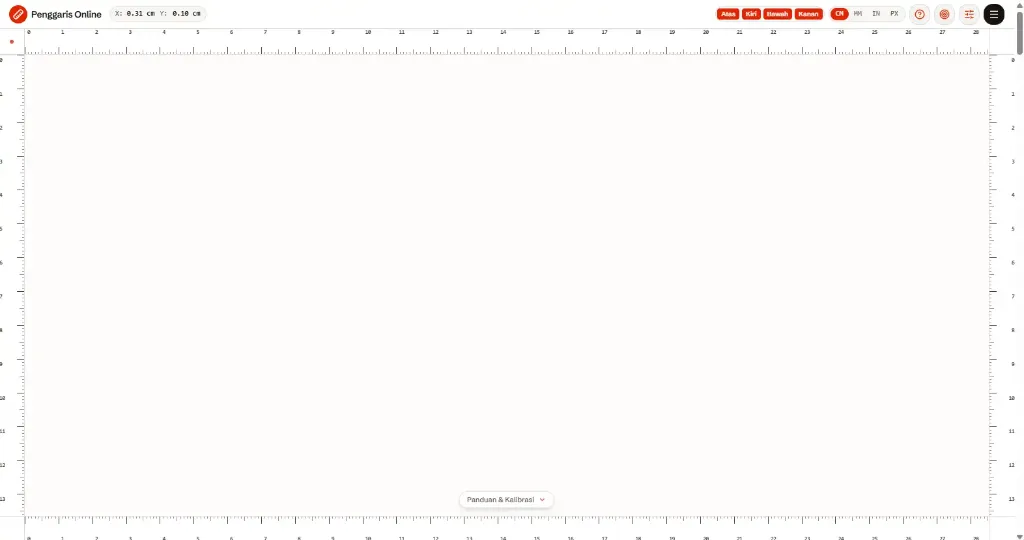
Place Rulers on All Screen Edges & Online Right-Angle 90° Square
Unlike rigid, physical plastic rulers, our interactive online ruler can be enabled simultaneously on any or all four edges of your display:
Top Edge Ruler
A horizontal ruler spanning the top border of your browser window for convenient width measurements.
Bottom Edge Ruler
A horizontal ruler at the bottom border, ideal when placing physical objects on the desk directly against the display.
Left Edge Ruler
A vertical ruler along the left edge for measuring height, thickness, or vertical diameters.
Right Edge Ruler
A vertical ruler on the right edge offering comfortable positioning for dual-monitor setups or left-handed users.
Full-Frame Measurement & 90° Right Angle Square
Activating both horizontal and vertical ruler edges simultaneously creates an online right-angle square (exact 90° corner). Ideal for architects, engineers, and digital designers who need two-dimensional measurements (length × width) directly on screen.
Extra Tools: Magnetic Caliper Guidelines, Crosshair Mode & Fullscreen
This digital screen ruler includes professional assistive utilities to make physical measurements effortless:
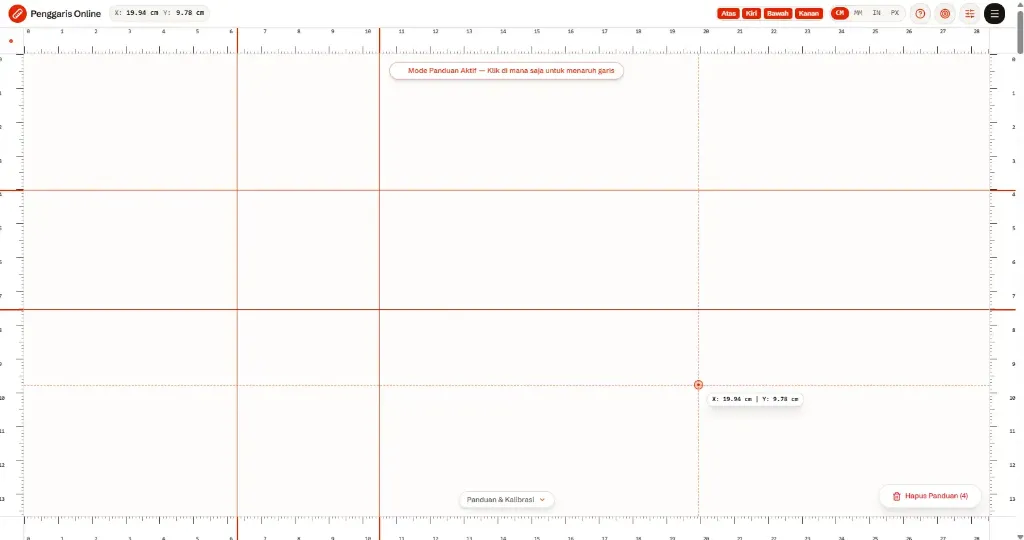
Magnetic Caliper Guidelines
Click anywhere on the ruler canvas to drop reference calipers. Add multiple horizontal and vertical guidelines to flank both ends of an object for automatic distance readouts.
Crosshair Mode & Live Coordinates
Displays an interactive targeting reticle that tracks your mouse or finger with live X and Y coordinates in your chosen unit for exact position tracking.
Fullscreen Mode (Key [F])
Hide all browser chrome and expand the ruler markings edge-to-edge across your entire display panel for maximum measurement coverage.
Online Ruler Specifications & Measuring Ranges Across Devices
Choose the ruler measuring range best suited for your smartphone, tablet, laptop, or PC monitor:
| Ruler Span & Name | Target Device | Units | Recommended Use & Objects Measured |
|---|---|---|---|
| Online 4cm Ruler | All Smartphones & Compact Displays | cm, mm | Specialized for miniature items: postage stamps, USB connectors, shirt buttons, SIM cards, and small screws. |
| Online 10cm Ruler | Standard Smartphones (4.7″ - 5.8″ screens) | cm, mm, in | Ideal vertical smartphone ruler. Perfect for measuring bank cards, keys, coins, and jewelry. |
| Online 15cm Ruler | Large-screen Phones & Tablets (6.1″ - 8.3″) | cm, mm, in | Equivalent to a standard student pocket ruler. Measures pens, pencils, markers, and instant photos. |
| Online 30cm Ruler | 14″+ Laptops & Desktop PC Monitors | cm, mm, in, px | Full standard 30 cm / 12-inch ruler. Measures standard A4 sheets (29.7 cm), folders, textbooks, and parcels. |
| Online 40 × 30cm Ruler | Desktop PC Monitors (24″ - 32″ Full HD to 4K) | cm, mm, in, px | Architectural cutting mat grid for blueprints, craft patterns, and graphic design print layouts. |
Who Uses This Free Online Ruler?
Used daily by thousands of professionals, academics, and individuals who need instant, accurate measurements without searching for a physical tape measure:
Students & Teachers
Measure workbook exercises, geography maps, geometry diagrams, and verify school assignment scales directly on phone or laptop screens.
Web & Graphic Designers
Inspect margins, padding, and use the digital ruler for font sizing to verify that typography scales comfortably across devices.
Architects & Engineers
Verify blueprint proportions, technical scales, and connection angles with the online protractor directly on computer displays.
Tailors & Fashion Crafters
Place fabric swatches, ribbons, lace, or buttons against the glass to check circumferences and diameters against design specs.
Photographers & Videographers
Compare camera lens filter thread diameters (e.g. 49mm, 58mm, 77mm), physical sensor dimensions, and photo frame ratios.
DIYers & Home Repair
Measure screw lengths, bolt sizes, drill bit diameters, wires, and hardware parts when a tape measure is out of reach.
How to Use Online Ruler for 100% Accurate Results
Follow this step-by-step guide to achieve optimal true 1:1 scale precision on any device:
Ensure 100% Browser Zoom
Open your browser and ensure the zoom level is set to the default 100%.(Ctrl + 0 / Cmd + 0)
Choose Measurement Unit
Select cm mode for metric centimeters and millimeters, or switch to inches for fractional imperial measurements.
Calibrate with Standard Card
Place any bank card or ID (standard 85.60 mm width) over the calibration box on screen and adjust the slider until it fits exactly.
Align Object & Read Results
Align your physical item with the zero mark. Slide the dual guidelines to flank both ends of the object and read the measurement instantly.
Frequently Asked Questions
Learn how the online ruler works, how to calibrate it, and its accuracy across devices.
Yes. Your smartphone can be used as an online ruler directly via any web browser. Calibrate your screen first so the cm, mm, or inch scale matches physical dimensions.
Online Ruler Entity Index & Measurement Topics
Complete index of physical measurement topics, supported hardware devices, and unit conversions:
Units & Metrics
- • online ruler cm & metric screen ruler
- • online ruler mm & precision millimeters
- • sub-millimeter digital screen gauge
- • accurate centimeter ruler online
- • measure in cm online via browser
- • online inch ruler (fractional imperial)
Devices & Displays
- • mobile phone ruler & vertical smartphone ruler
- • android online ruler for all devices
- • iphone & ipad ruler for safari browser
- • laptop 14 inch online ruler
- • pc monitor ruler & desktop measuring tool
- • browser-based ruler progressive web app
Spans & Dimensions
- • 4 cm online ruler for miniature items
- • 10 cm online ruler for cards and keys
- • 15 cm online ruler school pocket size
- • 30 cm online ruler for full A4 paper
- • 40 x 30 cm ruler cutting mat grid
- • comprehensive online ruler sizing guide
Special Features & Guides
- • real 1:1 true scale online ruler
- • right angle 90° square ruler online
- • digital screen protractor with degree scale
- • screen ruler for font size and typography
- • how to use online ruler quick tutorial
- • free online ruler with zero downloads
Page Navigation & Official Documentation
Direct access to all pages and official documentation on Online Ruler: